Download Blue WhatsApp APK and enjoy a more personalized WhatsApp experience with custom themes, extra privacy controls, Status Downloader, and useful messaging features.
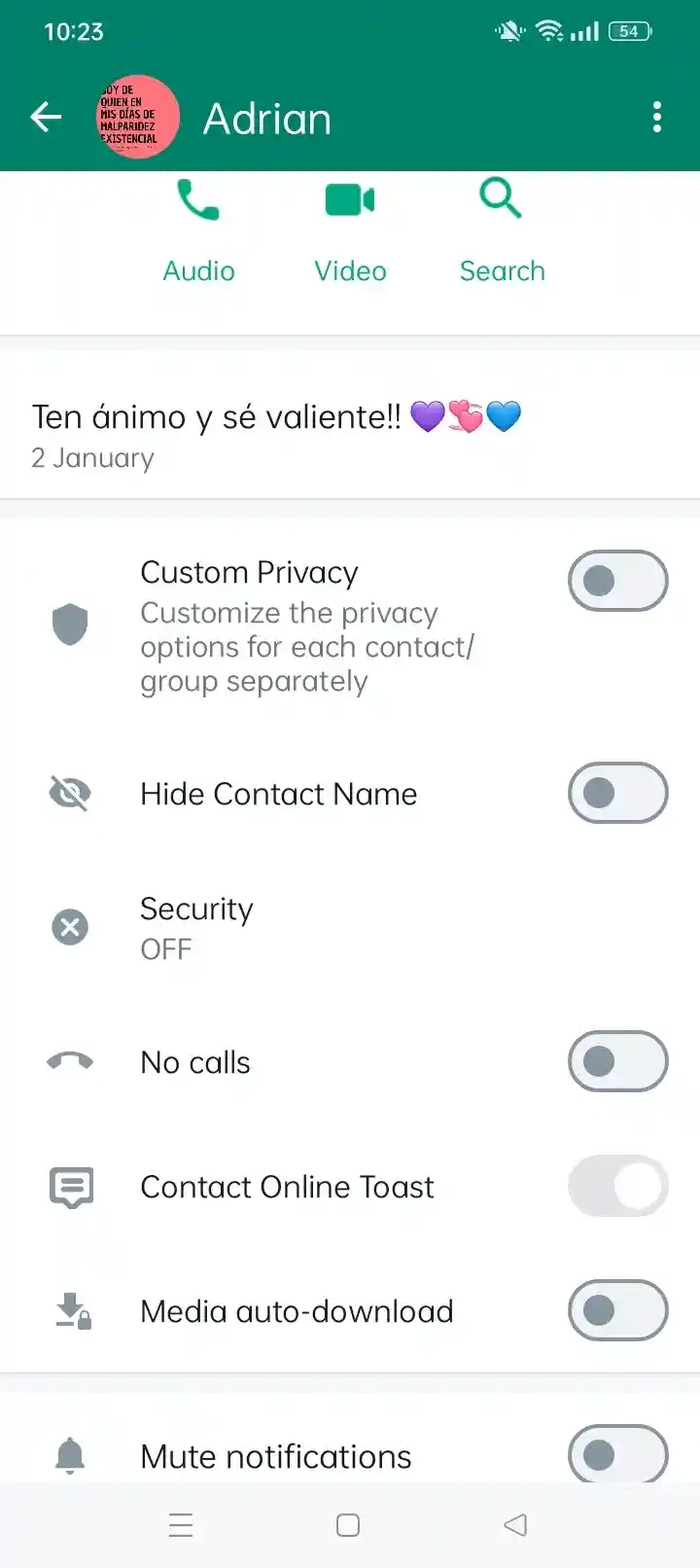
Blue WhatsApp APK is a modified version of WhatsApp for Android that focuses on customization, privacy controls, and extra messaging features. It keeps the familiar WhatsApp experience while adding options such as custom themes, hidden online status, Status downloading, Anti-Delete Messages, and additional chat controls.
Unlike official WhatsApp, Blue WhatsApp is distributed as an APK and is not an official Meta application. Different Blue WhatsApp builds are available online, so version numbers and features can vary between releases.
What Makes Blue WhatsApp Different?
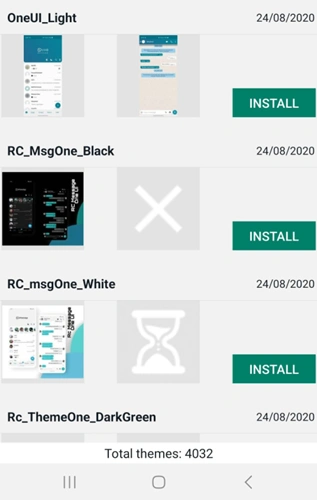
The most obvious difference is the level of customization. Blue WhatsApp is known for its blue-themed interface, but users can also find different themes, fonts, chat styles, colors, and layout options depending on the build.
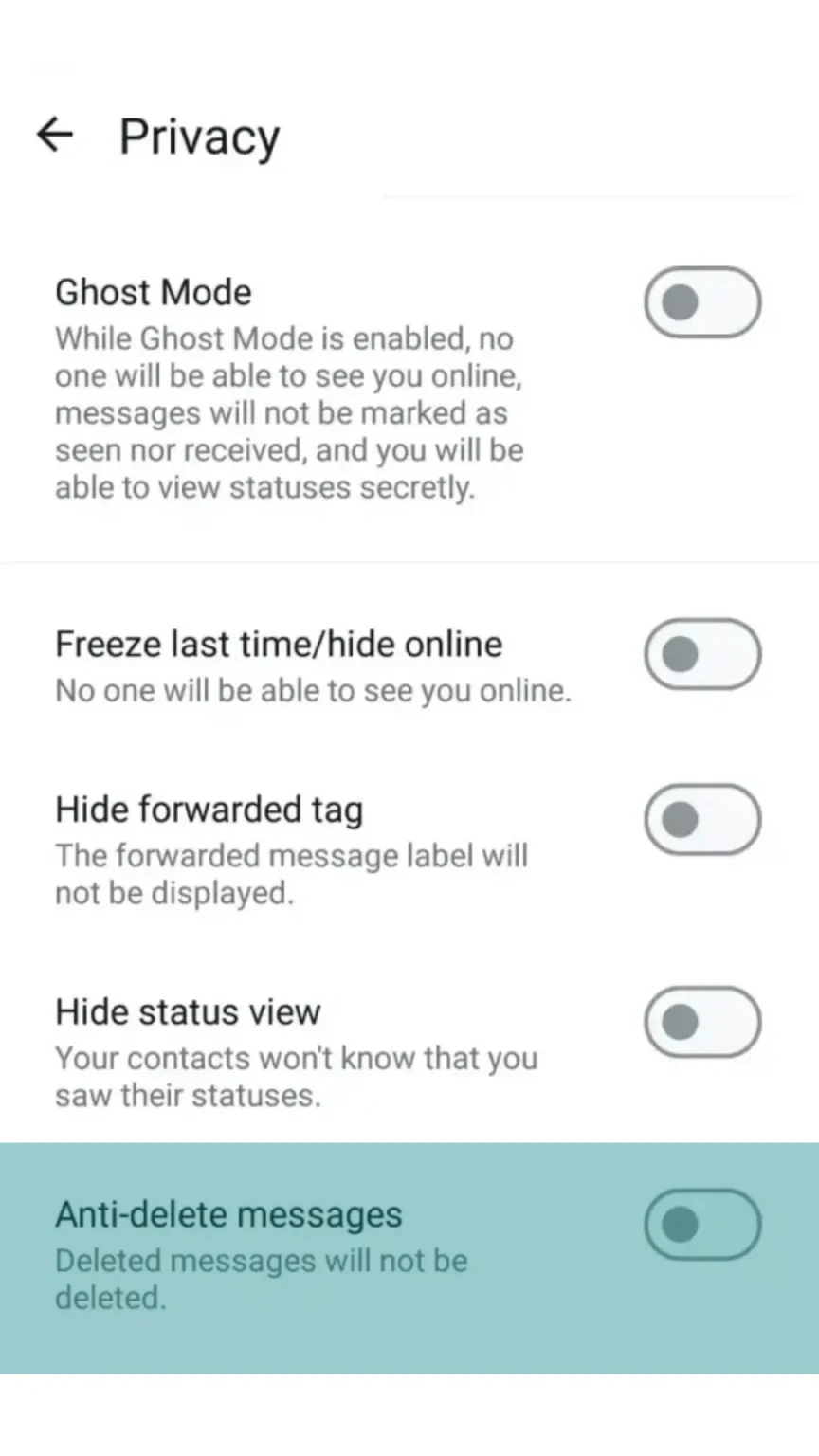
Privacy is another major reason people look for Blue WhatsApp. Common options include hiding your online status, freezing last seen, hiding blue ticks and typing indicators, and viewing certain deleted messages.
It also adds practical tools that some users find missing from official WhatsApp, such as Status downloading, message scheduling, Auto Reply, App Lock, and expanded media-sharing options.
Blue WhatsApp APK Info
InformationWhat to Check
App NameBlue WhatsApp / Blue WhatsApp Mod
Versionv18.80
PlatformAndroid
FormatAPK
Google PlayNot officially available
Root RequiredUsually not required
PriceGenerally free
Main FocusPrivacy, themes, customization, and extra messaging tools
If two websites show different version numbers, do not assume that the higher number is automatically the newer or safer one. Check the release information, package name, file size, and source before installing.
Features You Can Use in Blue WhatsApp
Blue Themes and Custom Interface
Blue WhatsApp is especially popular with users who do not want to stick with the standard green WhatsApp design. You can change themes, colors, chat backgrounds, fonts, and other interface elements, depending on the build.
Hide Online Status
You can hide your online presence so contacts do not immediately know when you are using WhatsApp. This is useful if you want to read messages or browse chats without feeling pressured to reply right away.
Freeze Last Seen
The Freeze Last Seen option can keep your last-seen information from changing while you continue using the app. It gives you more control over what activity information is visible to other contacts.
Hide Blue Ticks and Typing Status
Blue WhatsApp can give you more control over read receipts and typing indicators. You can read a message or type a reply without necessarily showing the same activity indicators used by standard WhatsApp.
Anti-Delete Messages
With Anti-Delete Messages, certain messages can remain visible even after the sender deletes them. This can be useful when someone removes a message before you get a chance to read it, although the feature cannot recover everything that was deleted before it was enabled.
Status Downloader
Blue WhatsApp can let you save photos and videos from WhatsApp Status directly to your device. You do not need to ask the contact to send the same image or video separately.
Message Scheduler
Message Scheduler lets you prepare a message and set a time for it to be sent. It can be useful for birthday wishes, reminders, or messages you know you need to send later.
Auto Reply
Auto Reply can send a predefined response when you are unavailable. It is more useful for people who receive regular messages and want to let others know that they will respond later.
App Lock and Chat Privacy
Some Blue WhatsApp builds include App Lock or additional chat-protection options. This gives you another way to prevent someone who has access to your unlocked phone from opening your WhatsApp conversations.
Larger Media Sharing
Several Blue WhatsApp builds advertise larger file and media-sharing limits than official WhatsApp. The exact limit depends on the build, so it is better to check the current APK's feature list rather than relying on a fixed number.
HD Media Sharing
Some recent Blue WhatsApp builds offer higher-quality photo and video sharing. This is useful when you want the recipient to receive clearer media instead of heavily compressed images.
Multiple Accounts
Some builds provide options for running more than one WhatsApp account on the same Android phone. This can be convenient if you use separate numbers for personal and other conversations, although support depends on the specific build.
How to Download and Install Blue WhatsApp on Android
Before installing Blue WhatsApp, create a backup of important WhatsApp chats and media. Do not rely on the APK installation itself to protect your existing conversations.
1
Back up your chats
Open your current WhatsApp and create a recent backup. If certain photos, videos, or documents are particularly important, save separate copies as well.
2
Download the Blue WhatsApp APK
Check the exact version and APK information before downloading. Avoid files that are repackaged with unrelated applications or require unnecessary permissions.
3
Allow APK installation
Android may ask you to allow your browser or file manager to install apps from unknown sources. Enable the permission for the app you are using, then return to the APK.
4
Install Blue WhatsApp
Open the APK file and follow the Android installation prompts. Once installation finishes, launch Blue WhatsApp.
5
Verify your number
Enter your WhatsApp phone number and complete verification. If the build supports your existing backup, follow the available restore instructions.
If verification does not work, avoid repeatedly reinstalling different APKs. Check your connection, phone number, APK build, and whether your account has been restricted.
Can You Use Blue WhatsApp Alongside Official WhatsApp?
Sometimes, but it depends on the specific Blue WhatsApp build and package configuration.
Some WhatsApp mods use a different package name, allowing them to be installed alongside the official WhatsApp. However, this does not automatically mean that both apps can safely use the same phone number at the same time.
If your goal is to keep official WhatsApp and test Blue WhatsApp separately, using a second number is the simpler approach. If you are moving your main account, back up your chats before making the switch.
Blue WhatsApp vs Green WhatsApp: What Do You Actually Get?
FeatureBlue WhatsAppGreen WhatsApp
Custom ThemesMore optionsLimited
Custom FontsAvailable in supported buildsLimited
Hide Online StatusMore controlsStandard controls
Freeze Last SeenAvailable in some buildsNo
Anti-Delete MessagesAvailable in supported buildsNo
Status DownloaderBuilt-in in some buildsNo standard feature
Message SchedulerAvailable in some buildsNo standard feature
Auto ReplyAvailable in some buildsLimited/Business-focused options
Large Media SharingExpanded in some buildsOfficial limits apply
Google PlayNo official listingYes
Official SupportNoYes
Account RiskHigherLower
The choice comes down to what you value. Blue WhatsApp gives you more freedom to change how the app looks and behaves, while official WhatsApp gives you official updates, support, and a more predictable account experience.
Is Blue WhatsApp Safe to Use?
Blue WhatsApp should be treated as an unofficial third-party WhatsApp client, not as an official alternative from Meta.
The biggest practical concern is the APK itself. Because modified apps are distributed outside Google Play, users need to pay attention to where the file comes from and what permissions it requests. Research into modified Android applications has also found increased security risks compared with official apps.
There is also an account risk. WhatsApp has historically taken action against accounts using modified clients, and community discussions continue to include reports of users experiencing restrictions while using WhatsApp mods.
For that reason, features described as Anti-Ban should not be treated as a guarantee that your account is protected.
What Happens If Blue WhatsApp Stops Working?
A Blue WhatsApp installation can stop working for several reasons, including an outdated build, verification problems, compatibility issues, or changes made by WhatsApp.
Try these checks first:
Check whether a newer compatible build is available.
Make sure your Android version is supported.
Check your internet connection and phone storage.
Restart the app and your phone.
Clear the app cache.
If verification fails, check whether your number has been restricted.
Back up your chats before uninstalling or changing the APK.
If the app suddenly says that you need to use the official WhatsApp, installing another random mod is not necessarily the answer. The issue may be related to WhatsApp's verification system rather than your phone.
Blue WhatsApp Account Ban: What You Should Know
Using Blue WhatsApp carries a greater account risk than using the official WhatsApp app. An Anti-Ban option may be advertised by a particular build, but there is no reliable way for a third-party mod to guarantee that WhatsApp will never restrict an account.
Community discussions show that users of WhatsApp mods have reported temporary and permanent account restrictions, although a ban can have different causes and an individual report does not prove why every account was restricted.
If your number is important for work, school, banking alerts, or family communication, think carefully before using a modded client. Keeping a current backup makes it easier to return to official WhatsApp if necessary.
Blue WhatsApp on Android, iPhone, and PC
Android
Android is the main platform for Blue WhatsApp because the app is distributed as an APK. Installation can be done manually on a compatible Android device.
iPhone
There is no normal Blue WhatsApp APK installation method for iPhone. APK files are designed for Android, so websites offering a simple Blue WhatsApp APK for iPhone download should be treated cautiously.
Windows and Mac
Blue WhatsApp is not a native Windows or Mac application. If you need WhatsApp on a computer, the official WhatsApp Web or desktop client is the more straightforward option.
Android Tablets
Blue WhatsApp may work on some Android tablets, but compatibility depends on the Android version, device configuration, and how the specific build handles phone-number verification.
FAQ
Yes, a Blue WhatsApp build may allow you to verify your existing WhatsApp number. However, using a modified client carries more account risk than using the official app.
You should back up your chats before installing or replacing WhatsApp. Whether a backup can be restored depends on the specific Blue WhatsApp build and backup method.
Blue WhatsApp is a modified third-party WhatsApp client, so it is not distributed as an official Google Play application.
Many Blue WhatsApp builds include a Status Downloader that lets you save photos and videos from Status updates.
Yes. Before switching back, make sure your chats and important media are backed up. Then install official WhatsApp and complete the normal verification and restore process.
Some builds include multiple-account options, but this feature is not guaranteed across every Blue WhatsApp release. Check the feature list of the specific APK you plan to install.
Check your phone number, mobile signal, SMS reception, and internet connection first. If the build is no longer accepted by WhatsApp's verification system or your number has been restricted, reinstalling the APK may not solve the problem.
Most Blue WhatsApp APK builds are distributed as free downloads. Be careful if a website asks you to pay or install unrelated software just to obtain the APK.
Not necessarily. Different websites use the names Blue WhatsApp, Blue WhatsApp Plus, and Blue WhatsApp Mod for different builds. Check the developer, package name, version, and source before assuming two APKs are the same application.